Design a master key system with MasterKeasy, then print the charts you take to the bench. LockCheck also covers lock types, finishes, handing and a Key Blanks directory. No AutoCheck subscription needed.
The printed Full Auto+ 2027 books - full-color hardcopy references for your shop or truck. Ships to US only.
The Full Auto+ 2027 books
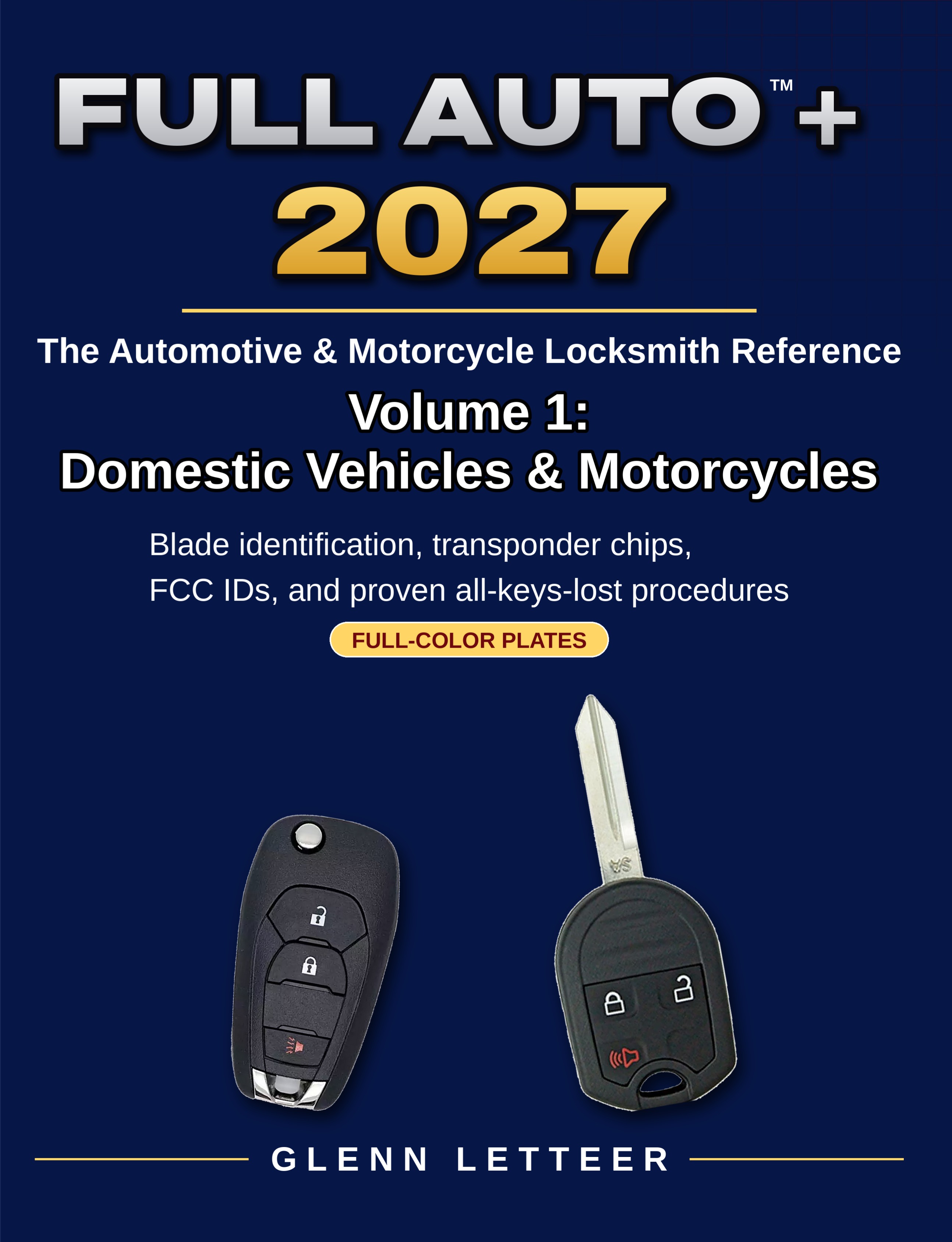
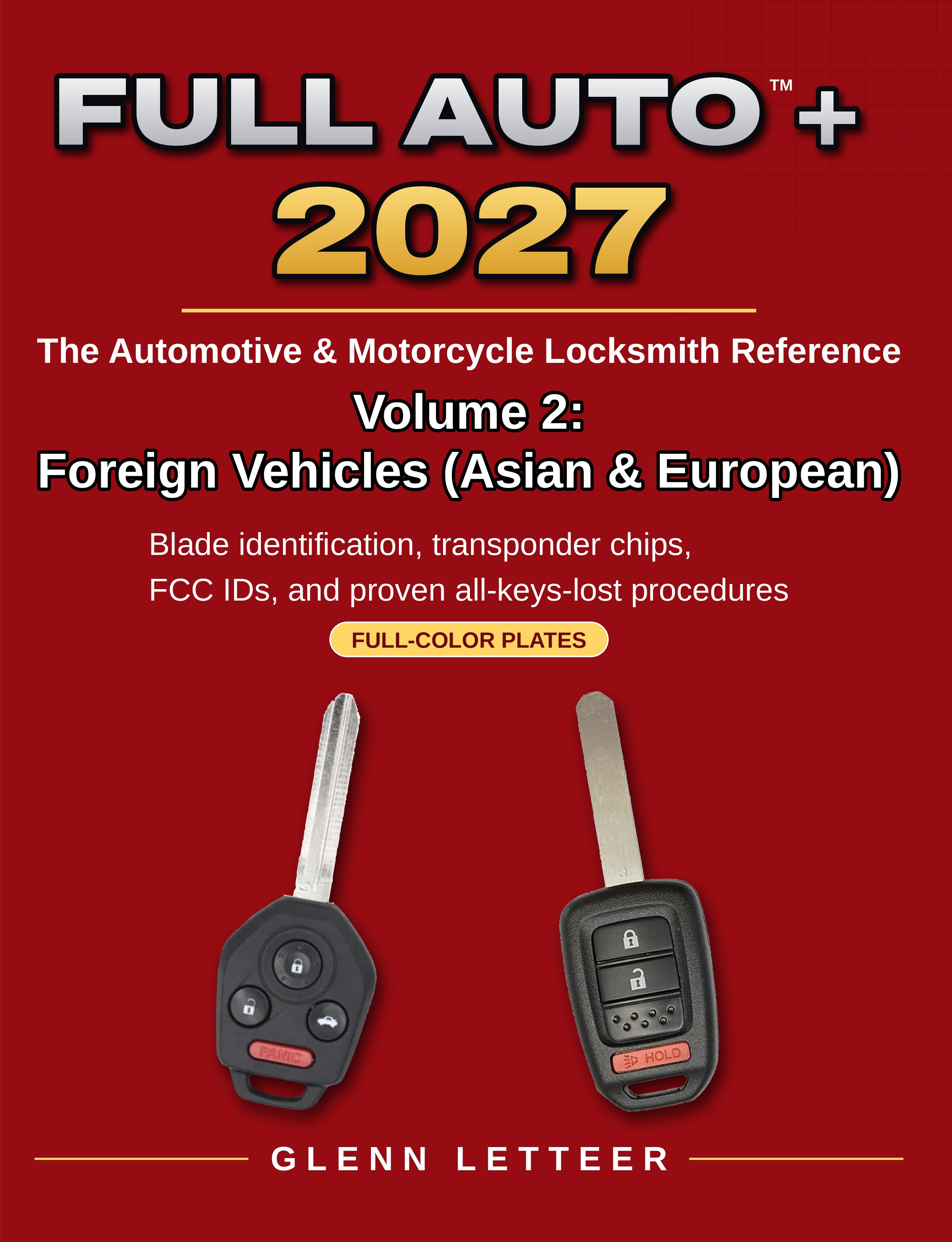
The Automotive & Motorcycle Locksmith Reference by Glenn Letteer. Full-color plates with blade identification, transponder chips, FCC IDs, and proven all-keys-lost procedures.
VOLUME 1
Domestic Vehicles & Motorcycles
The definitive reference for domestic & motorcycle locksmiths. A comprehensive reference covering domestic vehicles and motorcycles, in full-color plates. Includes key blanks, transponder chips, remote and proximity FCC IDs, lock wafer diagrams, key code locations, and all-keys-lost procedures.
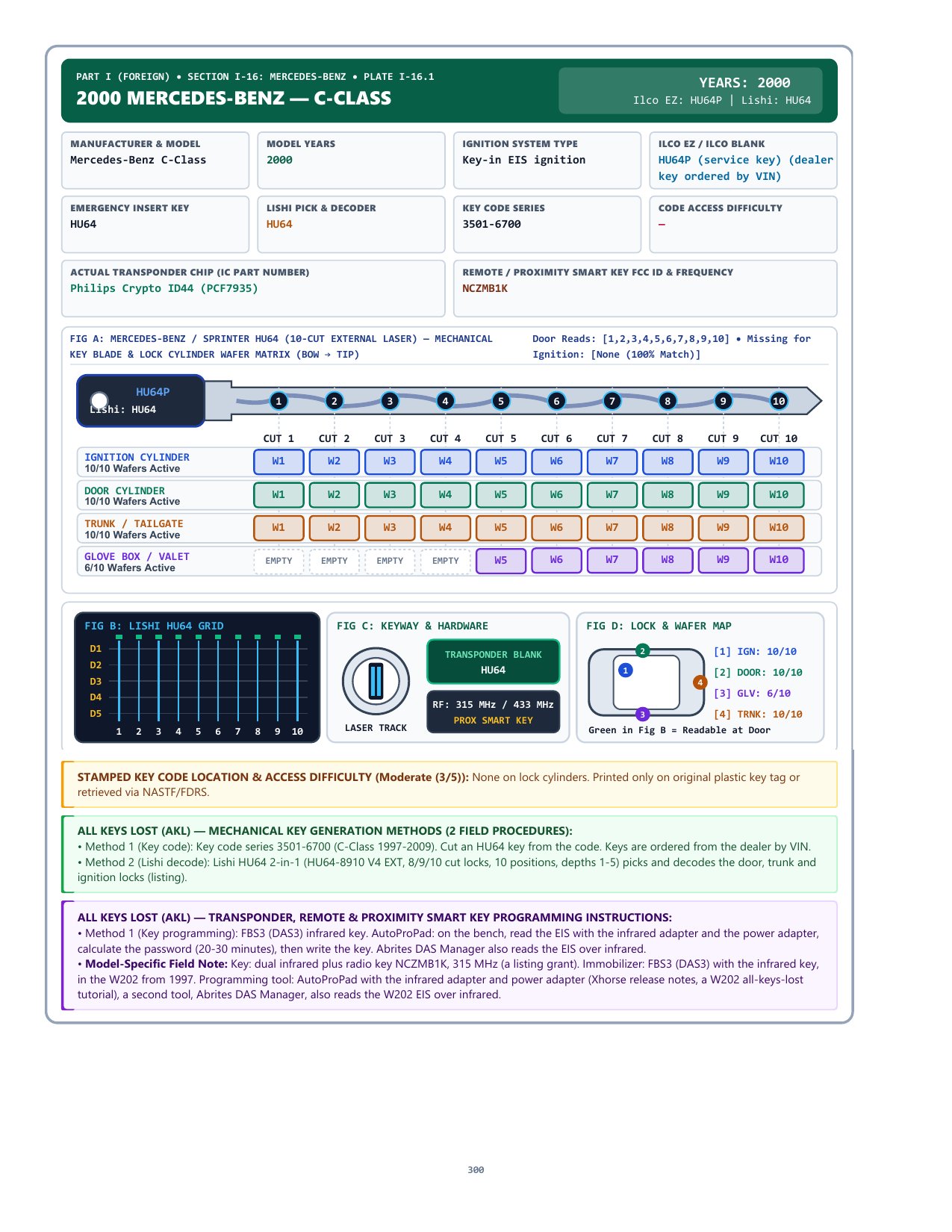
The definitive reference for foreign vehicle locksmiths. A comprehensive reference covering Asian and European cars, trucks, vans and SUVs in full-color plates. Includes key blanks, transponder chips, remote and proximity FCC IDs, lock wafer diagrams, key code locations, and all-keys-lost procedures.
Build a master key system in the app, then print the charts you take to the bench. MasterKeasy is included in LockCheck, and Best interchangeable cores are included. You do not need an AutoCheck subscription. A LockCheck activation code opens LockCheck inside the same app at autocheck.fullauto.workers.dev.
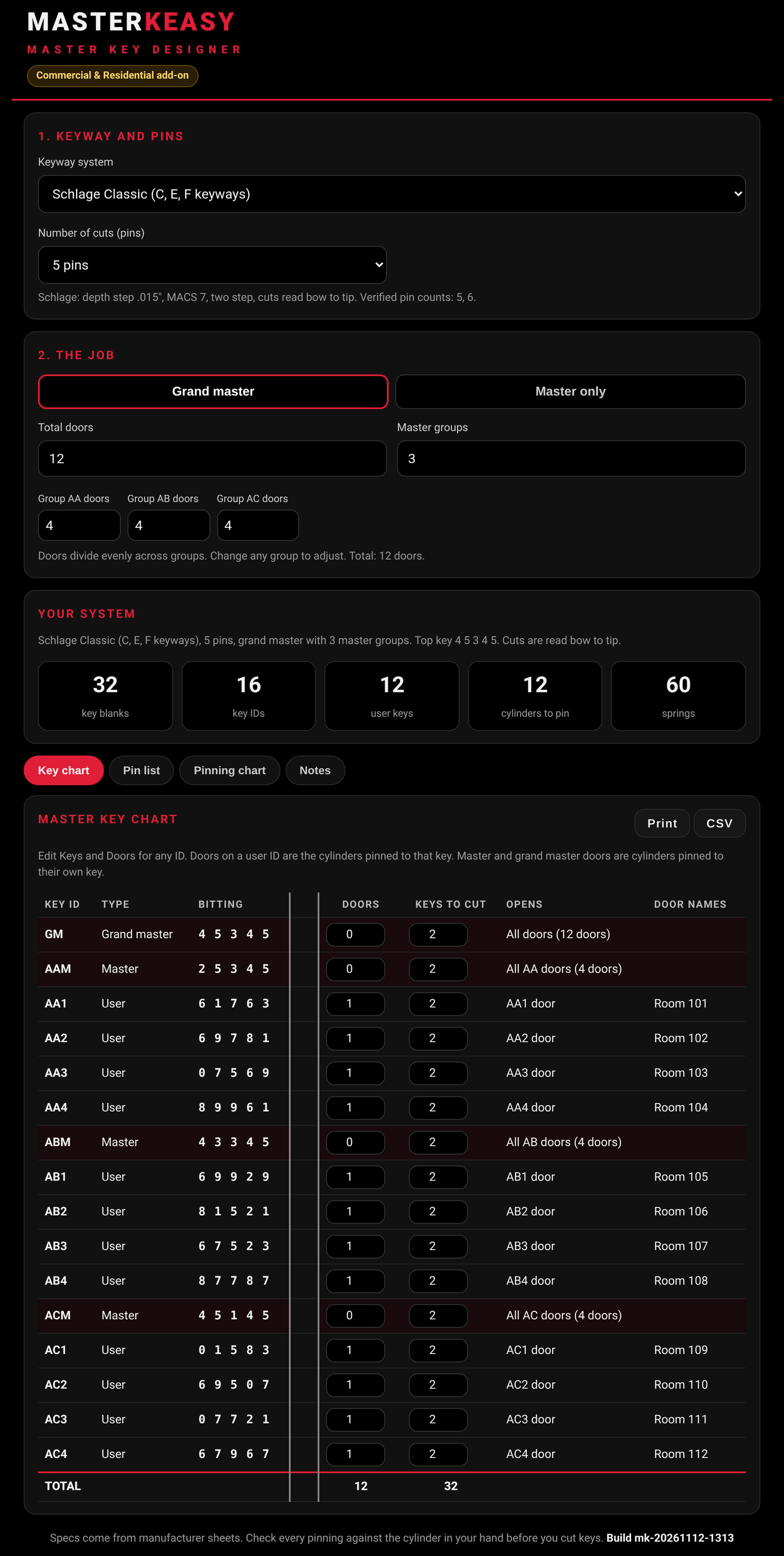
Design the system on the job. Set the keyway, the number of doors (up to 2,000), and the master groups you need. Generate a master-only or grand-master system, including Best SFIC A2, A3 and A4.
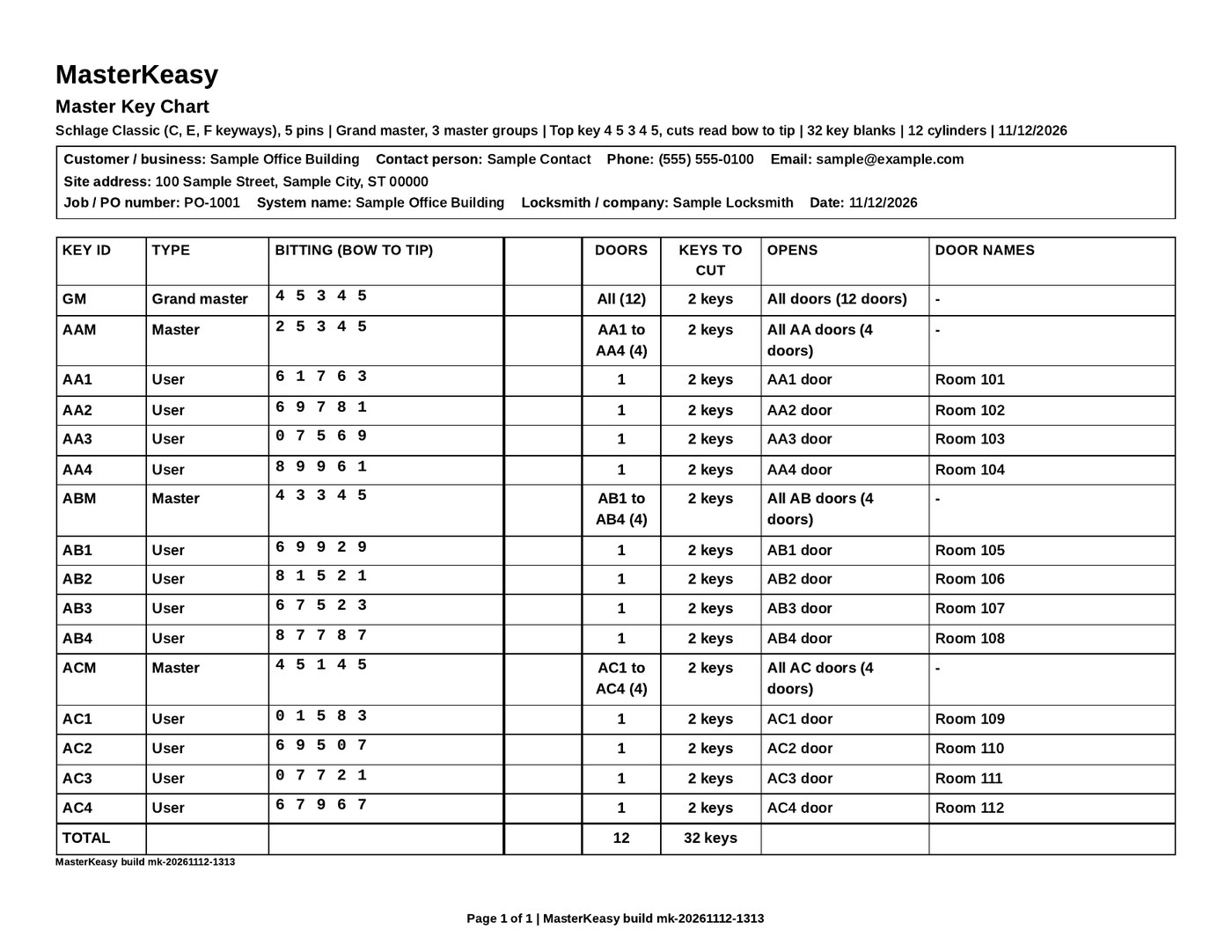
Print what you take to the bench. A key chart, a pinning chart, and a pin shopping list, with optional customer details at the top of each sheet. Export the key chart and pin list as CSV if you want.
Add doors later without recutting keys. Save a customer's system on this device, then add doors so keys already cut keep the same bitting. The app warns you if a change would alter them.
Who it is for
Locksmiths who design master key systems, and who work on doors, hardware and key blanks, in homes, businesses, or both. If you do not need automotive plates, buy LockCheck as a standalone product. If you already use AutoCheck, you can add LockCheck to the activation code you already have. Vehicle plates are not included with a LockCheck-only code.
What MasterKeasy includes
Design a master-only or grand-master system in the app, then print or export the charts you take to the bench. You set the keyway, the number of cuts, the number of doors (up to 2,000), and how many master groups you need. You can also set keys per user, master and grand master, doors on each of those keys, door names, extra pins, and, on interchangeable core systems, control keys (the default is 2) and an optional control-key bitting.
After you generate a system you get:
A key chart you can print or export as CSV, with keys and doors editable for each ID.
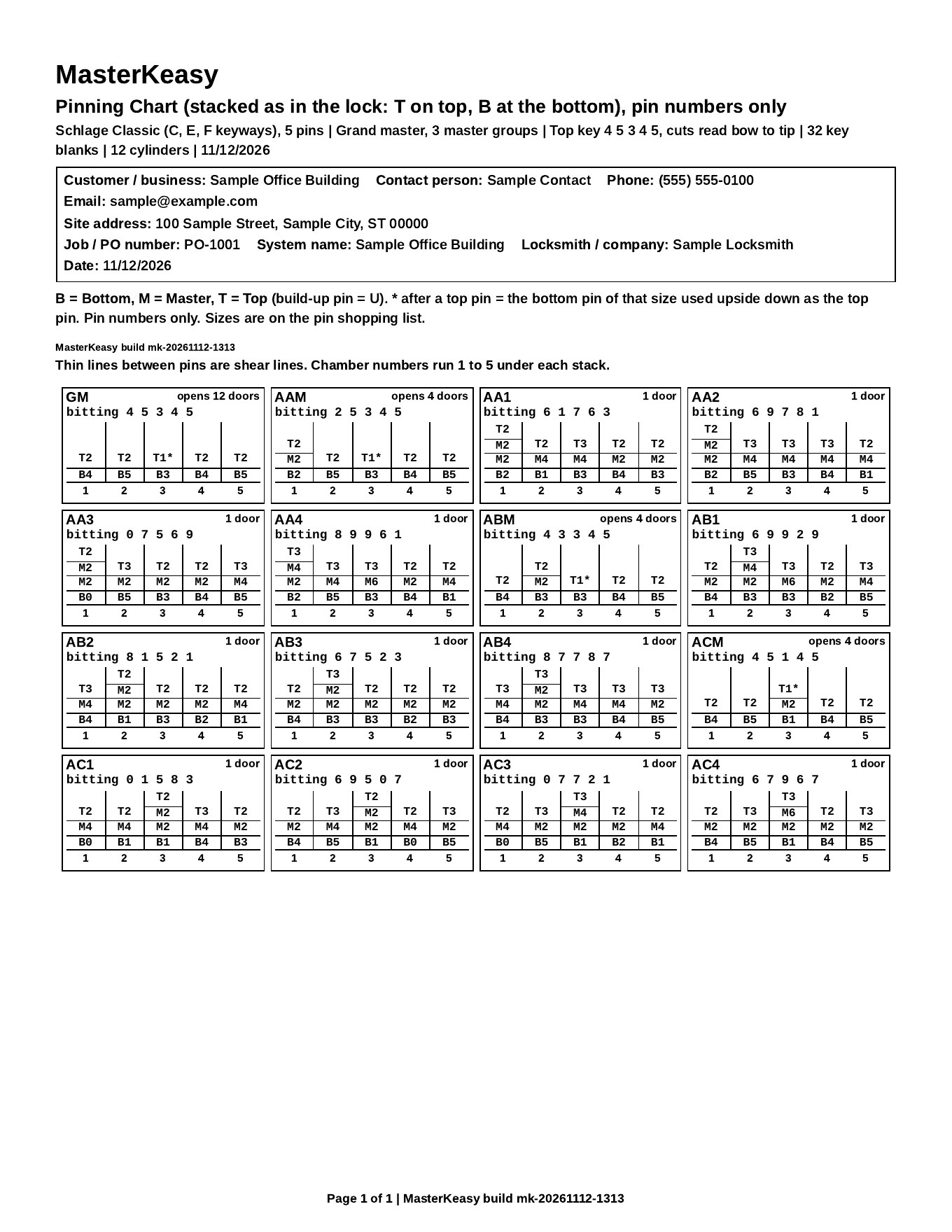
A pinning chart you can print, one line per ID, with chambers from cut 1. Print pin numbers only, or pin numbers with LAB sizes. A pin-stack view shows each chamber from the plug bottom up, with shear lines and the cut that lifts the stack to each line.
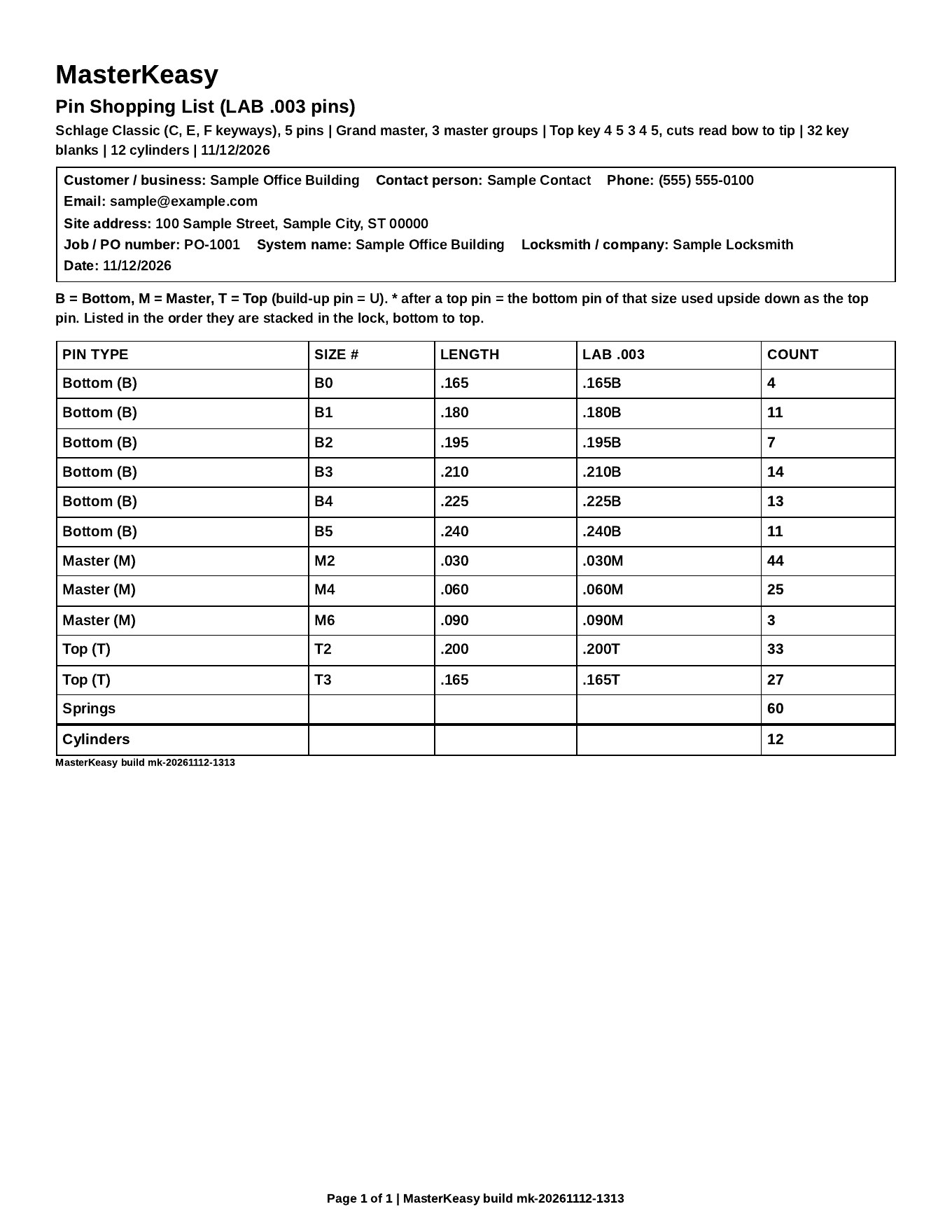
A pin shopping list you can print or export as CSV, with bottom, master and top pins listed in stack order.
Optional customer information prints at the top of each sheet and in the CSV files: customer or business name, contact, phone, email, site address, job or PO number, date, system name, locksmith or company name, and notes. Blank fields are left out.
You can save a customer's master key system on this device, then load it later to add doors or keys. Nothing is sent to a server. Add doors to existing groups so keys already cut keep the same bitting. After you generate, the app tells you whether those keys still match. If a change would alter them, it warns you. You can also duplicate, delete, export, or import saved systems.
MasterKeasy includes these keyway systems, with the pin counts each one offers:
Best SFIC A2, A3 and A4
Interchangeable cores. A2, A3 and A4 are all offered, including 6-pin and 7-pin A3 (and 6- and 7-pin cores on A2 and A4). 7-pin is the default.
Schlage Classic
C, E and F keyways. 5-pin (SC1) and 6-pin (SC4).
Kwikset
KW1 (5-pin) and KW10 (6-pin).
Corbin Russwin
System 70 (Z and DH class): 5-, 6- and 7-pin, with plug size options. Also Corbin X and Z class and Russwin DH class from before System 70, in 5- and 6-pin.
Specs come from manufacturer sheets and LAB sizes used by the designer. Check every pinning against the cylinder in your hand before you cut keys.
Also in LockCheck
Lock types
26 lock types, grouped so you can identify what is on the door and see the functions and variants used in the field, including passage, privacy, entry, classroom and storeroom functions, and ANSI/BHMA grades where they apply.
Locksets
Cylindrical knob lock, cylindrical lever lock, handleset, combo lockset, and interconnected lock.
Deadbolts and surface locks
Deadbolt, night latch, and jimmy-proof deadlock.
Mortise locksets
Mortise lockset, with the case and trim facts you need to order correctly.
Cylinders and cores
Mortise cylinder, rim cylinder, key-in-knob (KIK) cylinder, interchangeable core (SFIC and LFIC), and profile cylinder.
Exit and access control
Exit device (panic bar), exit device trim, electric strike, electromagnetic lock, and keypad and keyless lock.
Specialty and cabinets
Padlock, cam lock, cabinet and drawer lock, mailbox lock, narrow-stile (storefront) lock, hookbolt, and sliding door lock.
Finishes
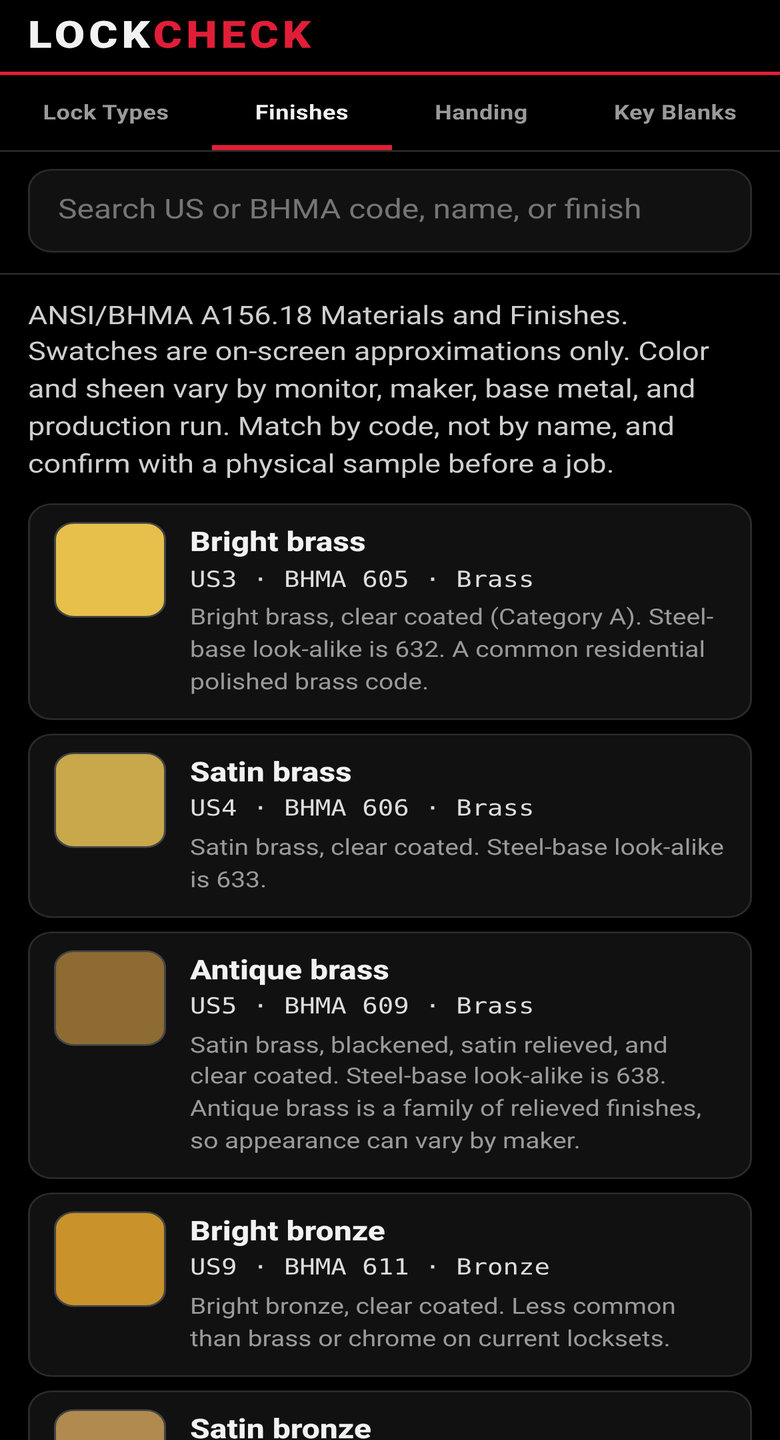
20 finishes with US and BHMA codes, based on ANSI/BHMA A156.18 Materials and Finishes. Search by US code, BHMA code, name, or finish. On-screen swatches are approximations only. Match by code, and confirm with a physical sample before a job.
US3 / 605 Bright brass
US4 / 606 Satin brass
US5 / 609 Antique brass
US9 / 611 Bright bronze
US10 / 612 Satin bronze
US10B / 613 Oil rubbed bronze
US10BE / 613E Oil rubbed bronze, equivalent
US11 / 616 Satin bronze, blackened and relieved
US14 / 618 Bright nickel
US15 / 619 Satin nickel
US19 / 622 Flat black
US26 / 625 Bright chrome
US26D / 626 Satin chrome
US28 / 628 Satin aluminum, clear anodized
US32 / 629 Bright stainless
US32D / 630 Satin stainless
643e Aged bronze (Allegion)
689 Aluminum painted
USP / 600 Primed for painting
695 Dark bronze painted
Handing
Handing is taken while standing on the outside, or key side, of the door. The hinge side you see, and whether the door swings away from you or toward you, decide the hand.
LH - Left Hand
Standing outside, hinges are on your left. The door swings away from you (inswing).
RH - Right Hand
Standing outside, hinges are on your right. The door swings away from you (inswing).
LHR - Left Hand Reverse
Standing outside, hinges are on your left. The door swings toward you (outswing). Also called left hand reverse bevel.
RHR - Right Hand Reverse
Standing outside, hinges are on your right. The door swings toward you (outswing). Also called right hand reverse bevel.
The app also covers handed hardware, such as lever exit trim, mortise lock cases, and exit devices that are sold as LH/LHR or RH/RHR and may not be field reversible.
Key Blanks directory
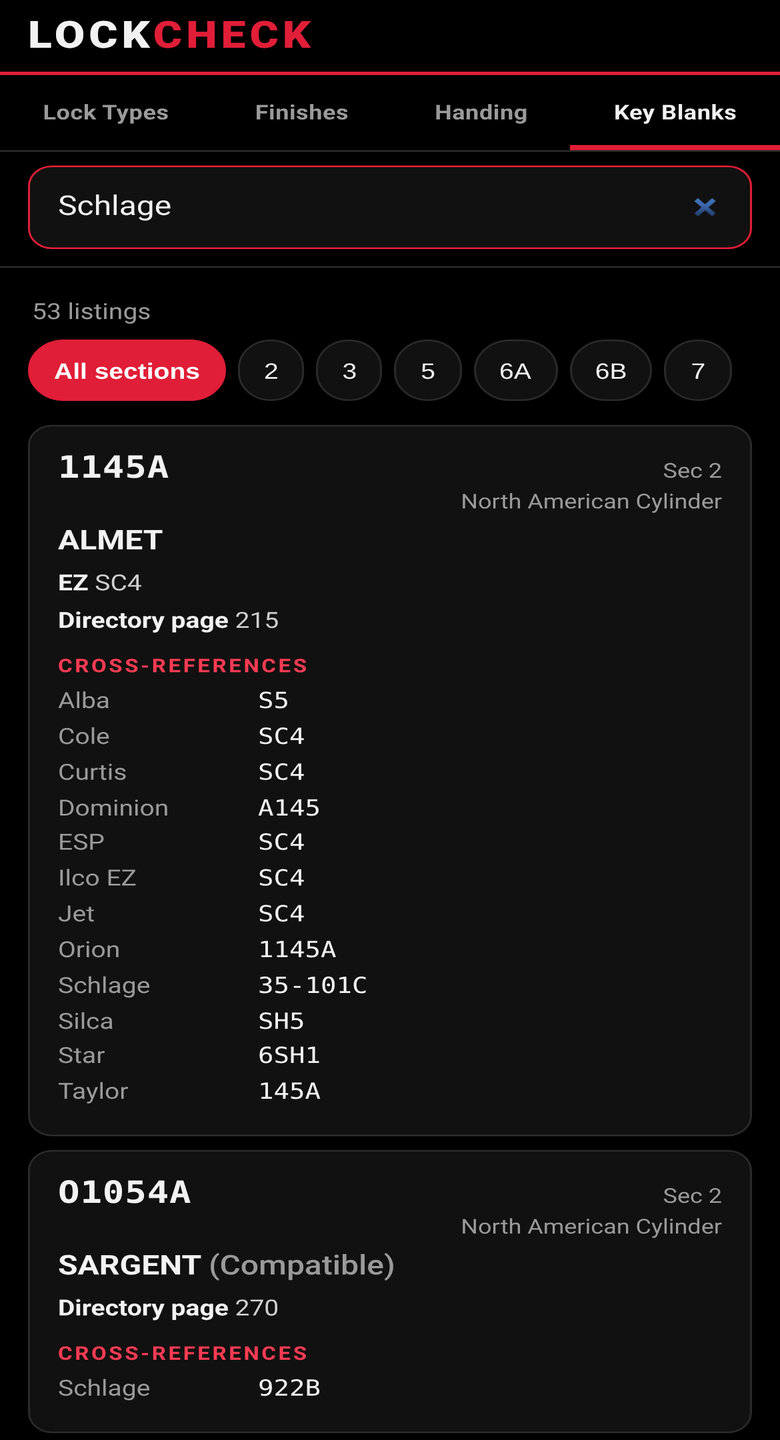
A searchable directory of 2,042 key-blank listings. Search from a search box by Ilco number, Ilco EZ number, maker, or cross-reference, including OEM numbers. Filter by catalog section: North American cylinder, international cylinder, safe deposit, flat steel, bit and barrel, and miscellaneous. Results page in groups of 40, with a control to show more.
Door Prep
Enter the backset, cross (face) bore, door thickness, edge bore, and handing. LockCheck compares those measurements to published standard preps in ANSI/BHMA A156.115 (steel doors) and A156.115-W (wood doors), and lists which LockCheck lock types typically fit, with reasons. A standard prep does not guarantee that one maker's chassis, through-bolts, or trim will fit. Confirm the actual lock template before you cut or order.
Photo & Ask
Three tools in one tab:
Key photo. Photograph a key and LockCheck reads stamped letters or numbers on the bow, then suggests matching Ilco blanks from the directory. It can also show a rough visual estimate of the bitting depths, bow to tip, on a relative 1 (shallowest) to 9 (deepest) scale. That estimate is not a manufacturer's depth code, and it is not a key decoder. The same key can give a different list from photo to photo, so measure every cut with a key gauge or caliper before you cut a key.
Lock photo. Photograph the lock face or cylinder. LockCheck suggests likely lock types from its own list. If a maker name or number is readable, it can also list matching blanks.
Ask LockCheck. Ask about lock types, finishes, door handing, Ilco key blanks, or MasterKeasy pin systems. Answers come only from LockCheck data.
The photo is sent to the server for that one analysis and is not stored.
Pin Kit
Count the pins and springs in your kits, one pin system at a time. The MasterKeasy shopping list and the rekey parts list then show what you have in the kit and what you are short, and can hide what is already covered. Counts stay on this device.
Rekey
Make a parts list and a printed customer sheet for a rekey. Pick the lock types and how many cylinders; the pins come from your pin system's own pin data. You can save the ticket on this device and print a customer sheet with optional customer details at the top.
Jobs
Keep customer information, notes, and photos for each job. They stay on this device. You can print a job summary, and link a rekey ticket or a master key system to the job. A job can hold up to 60 photos.
Training
Three LockCheck tests, written from LockCheck's own lock types, finishes, handing, and MasterKeasy Best IC math: Lock ID, set 1; Lock ID, set 2; and Master keying, Best IC. Each test has 25 questions. Pass with 80% (20 of 25) to earn 1 LockCheck credit, credited once, with one free retake. The tests stay locked until a valid PROLOA membership number is saved in Settings. LockCheck credits and AutoCheck credits are kept in one history for that membership number.
LockCheck in the app
The screens below are from the live app. The MasterKeasy sheets use a made-up sample job, Sample Office Building, with contact Sample Contact. Tap any image to enlarge.
MasterKeasy designer A sample Schlage Classic 5-pin grand master system. The key chart, pinning chart and pin list are a tap away.
Printed key chart Keys, bittings and door names, with customer details at the top of the sheet.Printed pinning chart Four locks per row, pin numbers only, stacked as in the lock, with bitting on each box.Printed pin shopping list Bottom, master and top pins to take to the bench, with counts and LAB .003 sizes.
Key Blanks search Search 2,042 listings by Ilco number, Ilco EZ, maker or cross-reference.Finishes 20 US and BHMA finishes, searchable by code or name. Swatches are approximations only.
Built by a working locksmith for the way you actually work: find the vehicle, get the all-keys-lost options, make the key, quote the job and keep a record.
NEW
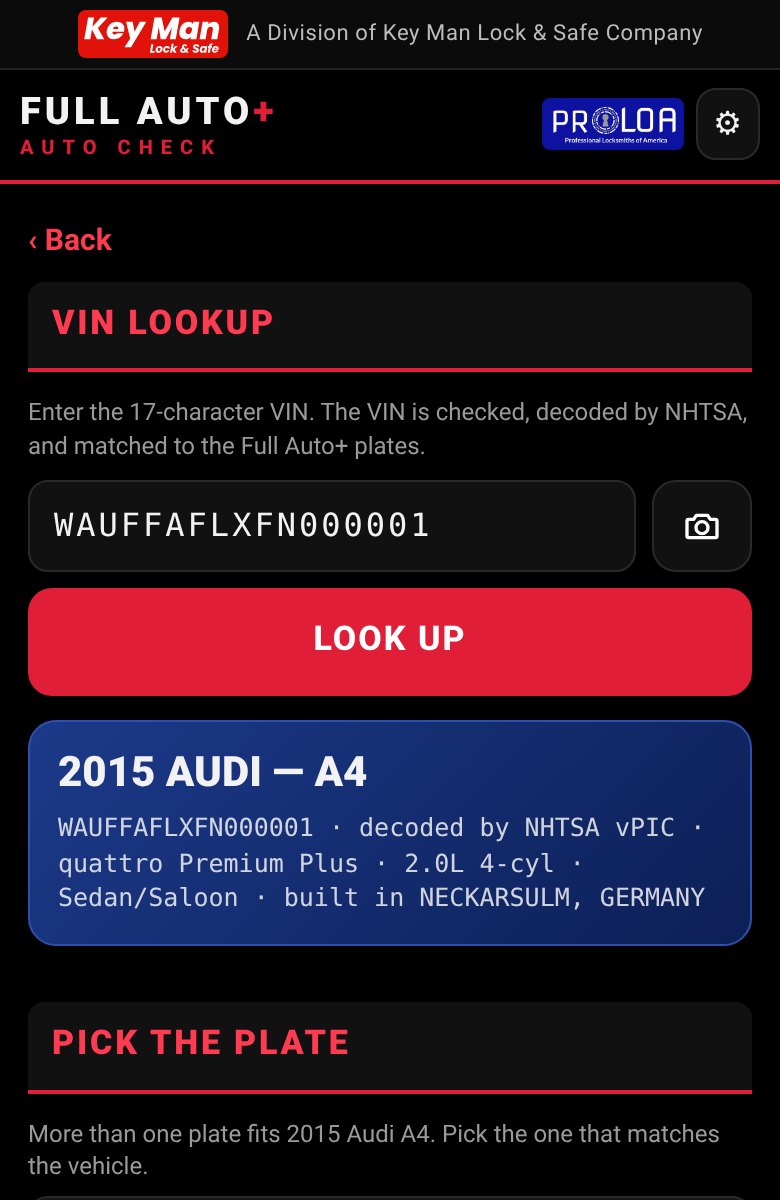
VIN lookup
Type or photograph a VIN. The app checks it, decodes it with NHTSA and jumps straight to the matching plate. If more than one plate fits, you get a short pick list.
NEW
PROLOA tests and credits
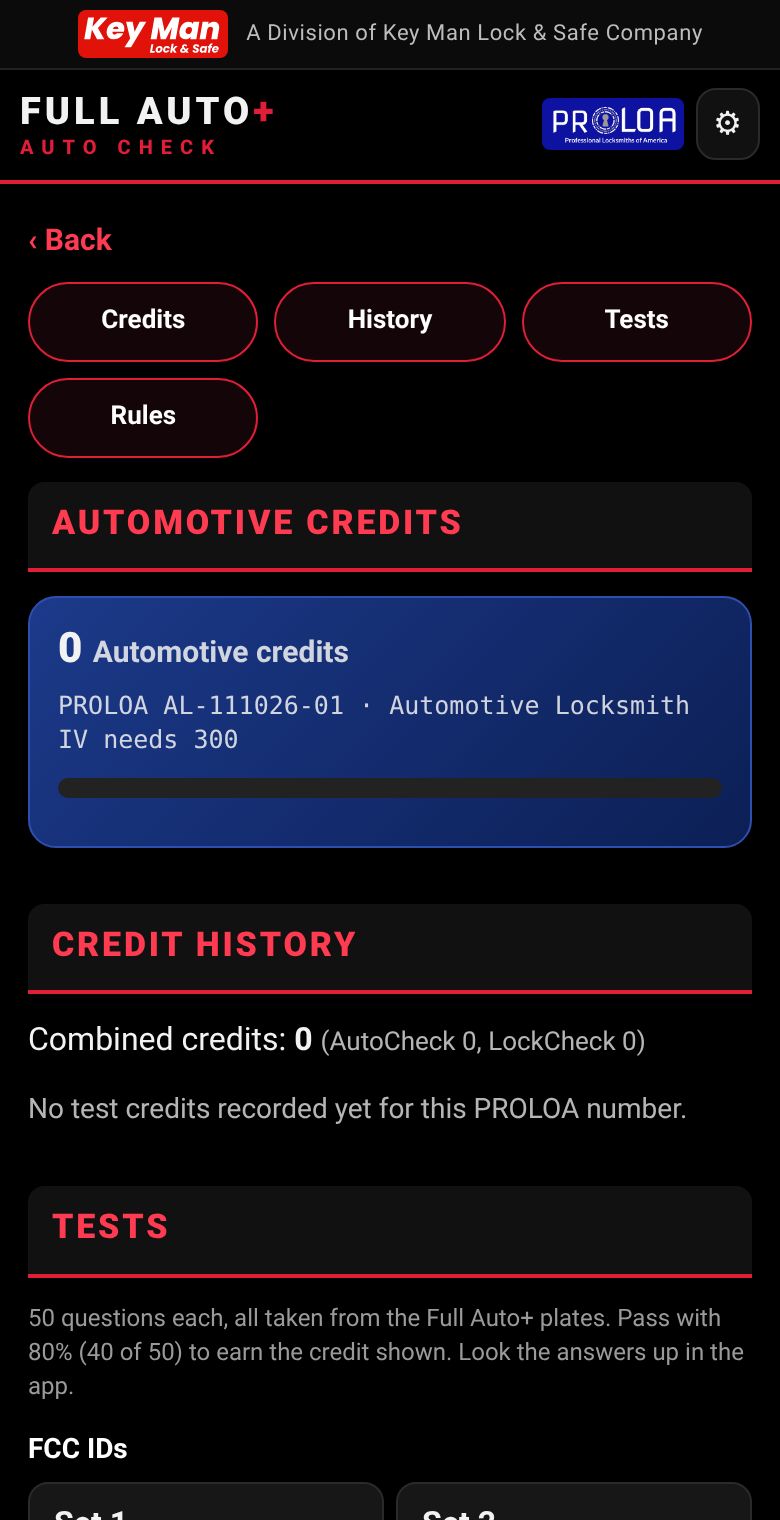
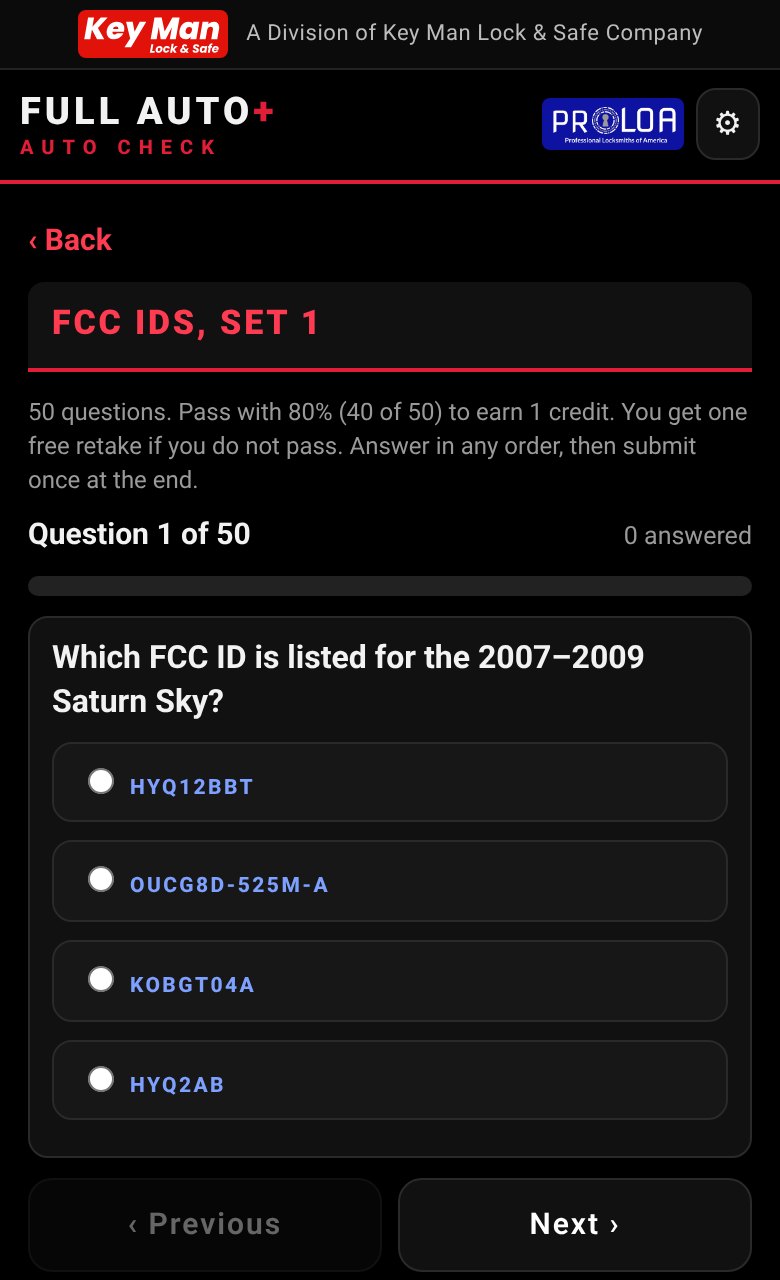
22 tests of 50 questions each, built from the Full Auto+ plates. Pass with 40 of 50 and earn 1 Automotive credit per test, with one free retake. AutoCheck tests stay locked until a valid PROLOA membership number is saved in your account settings.
NEW
Ask Full Auto+, unlimited
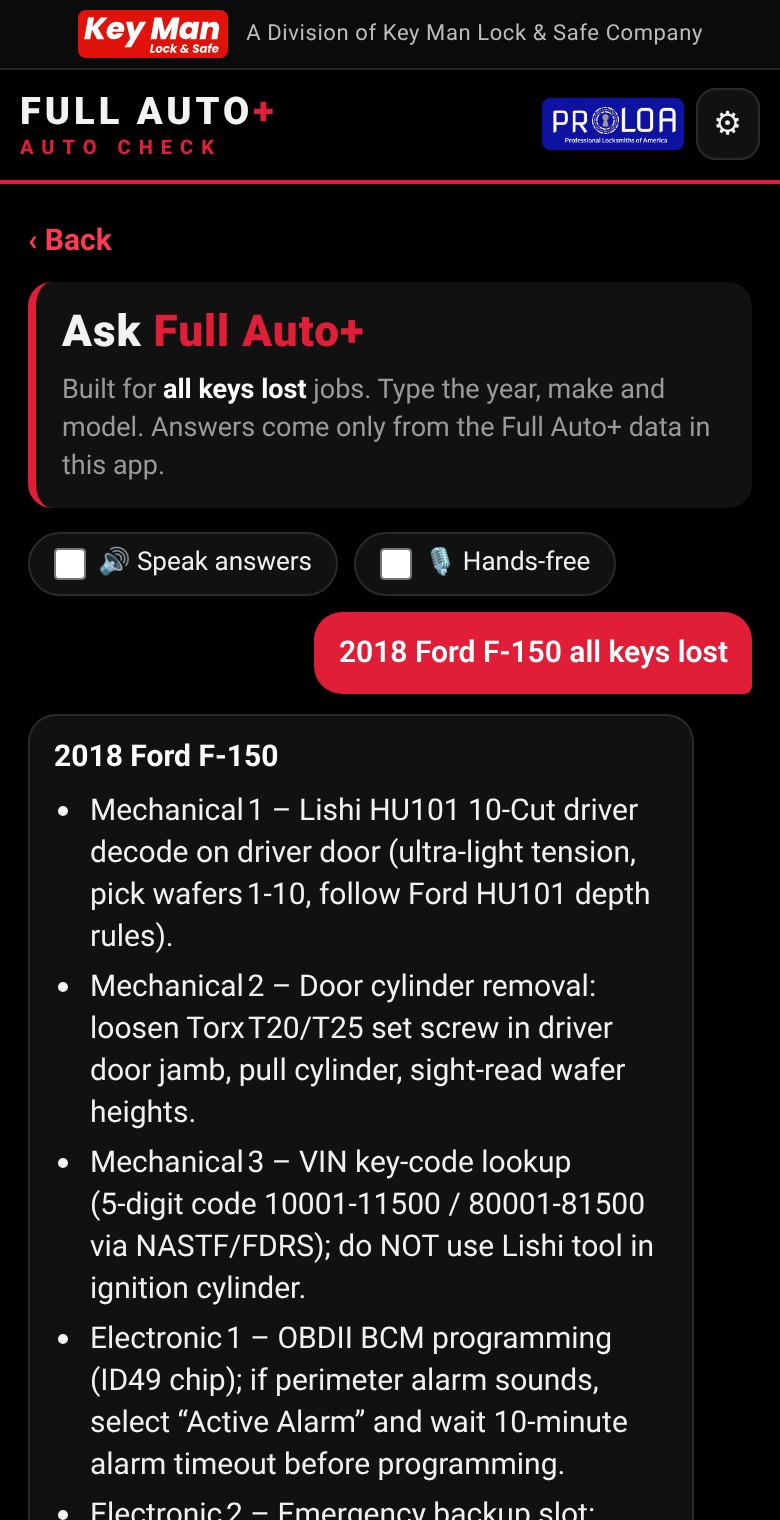
Type the year, make and model and ask in plain English. Answers come only from the Full Auto+ data in the app and cite the plate. No daily question cap. Speak your question or have answers read aloud.
NEW
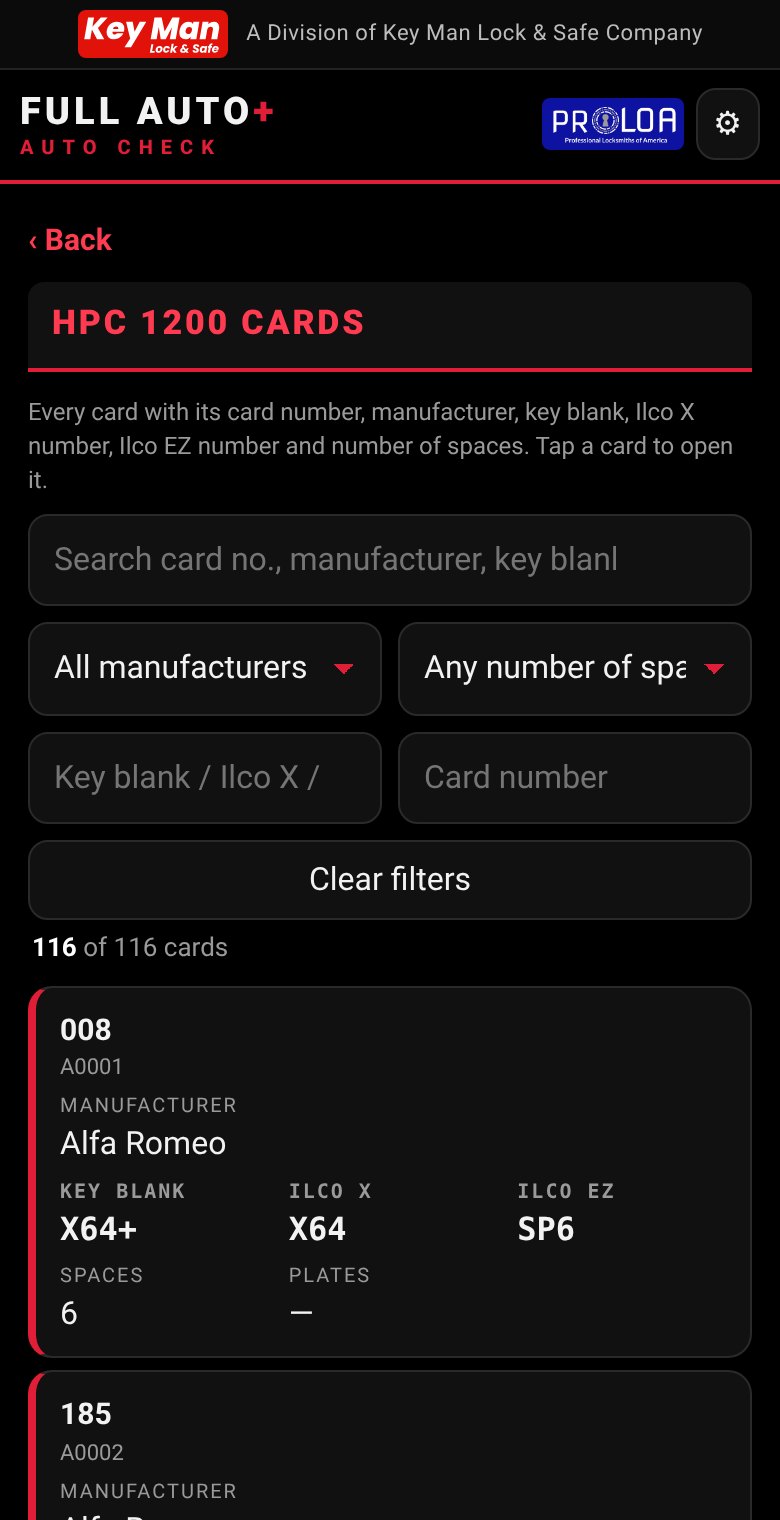
HPC 1200 card lookup
A library of all 116 HPC 1200 code cards. Search by card number, manufacturer, key blank, Ilco number or number of spaces. Cards also appear right on the vehicle plates.
All-keys-lost wizard
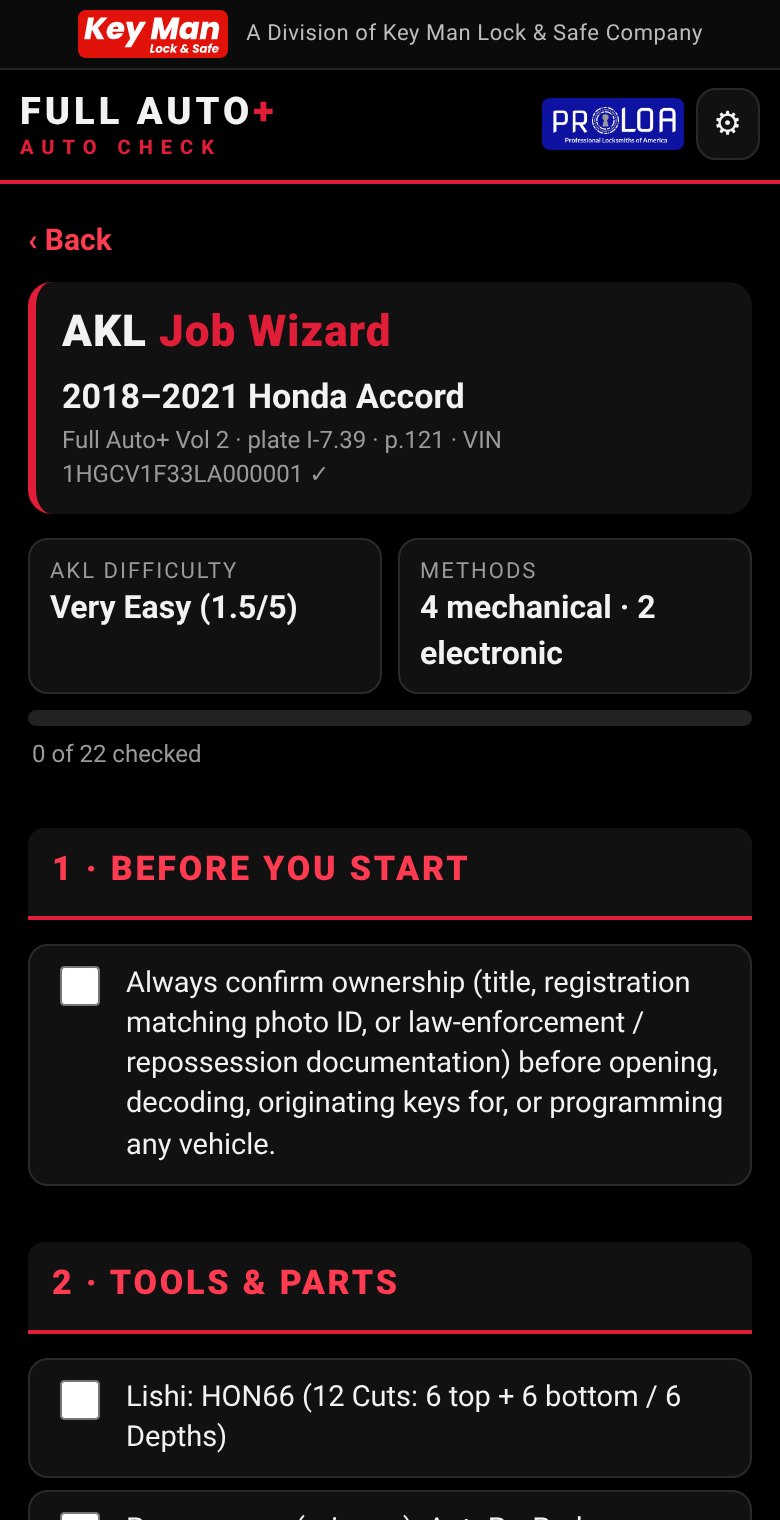
Start from the VIN or the vehicle. Get a step-by-step all-keys-lost guide: tools, programmer, key parts, key code location and the methods in order, with a checklist.
Job log
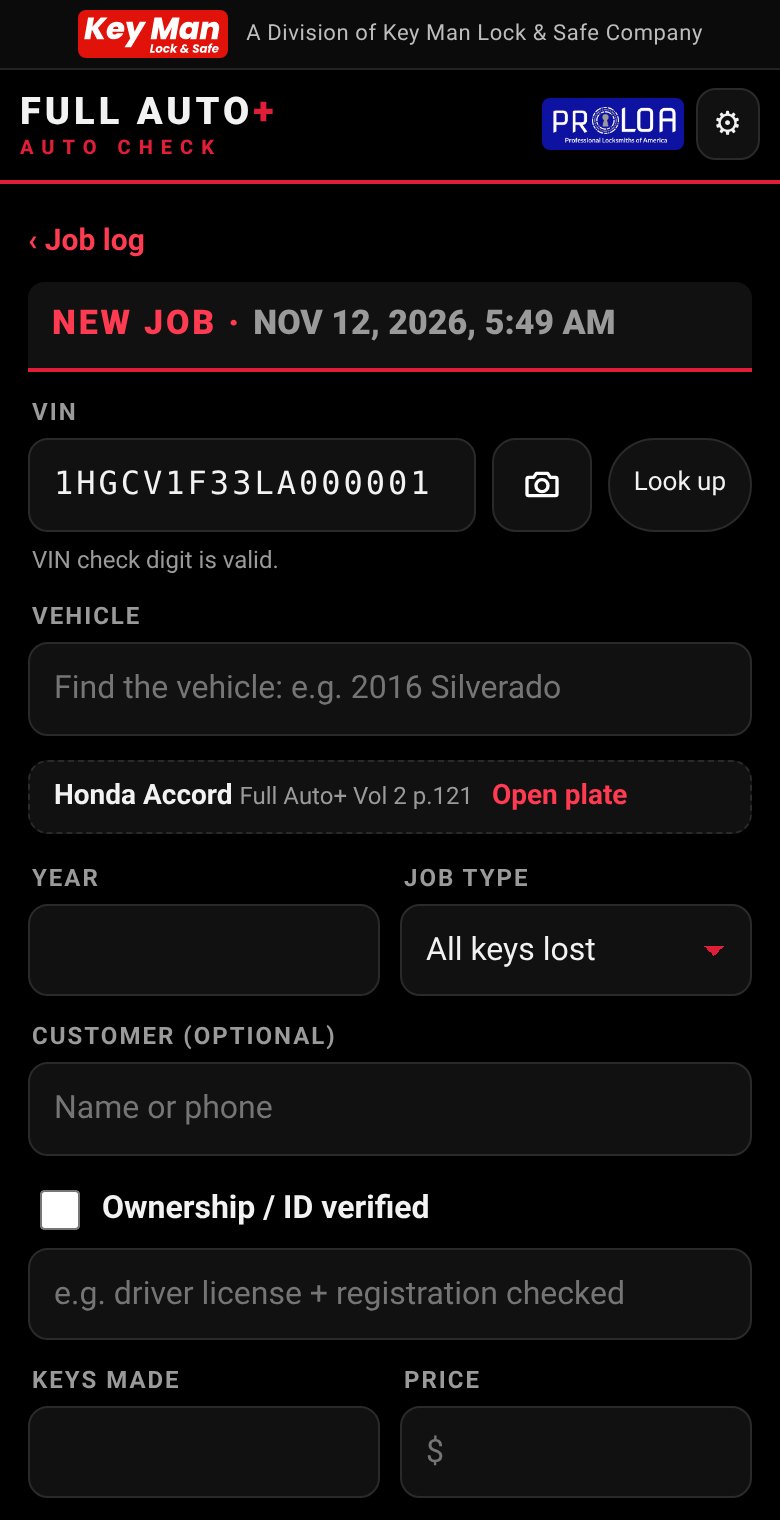
Log every job on your phone: vehicle, VIN, key made, price, notes and time-stamped photos. Export to CSV, a printable report with photos, or a JSON backup.
Quote builder
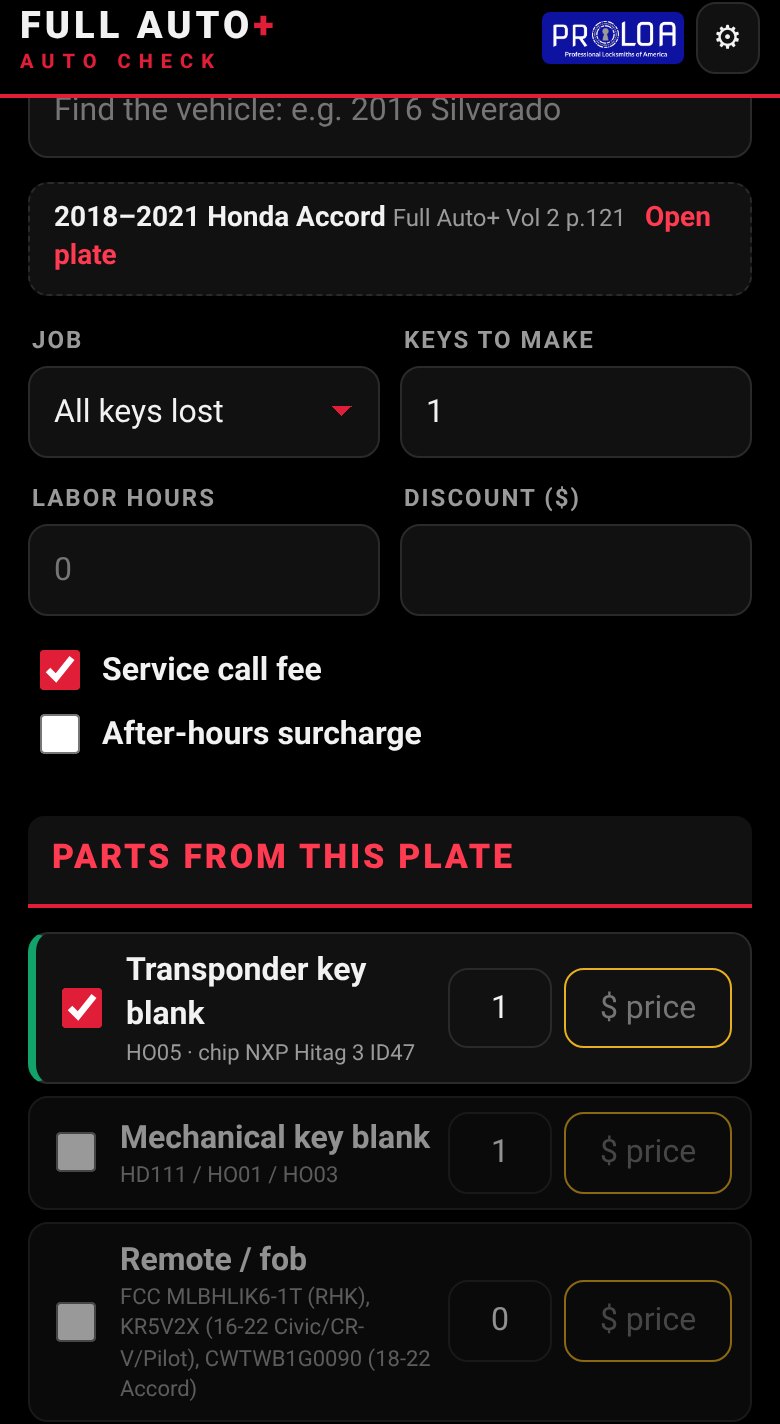
Set your rates once. The app adds the key parts the plate lists, totals the job and texts the quote to your customer.
Report a discrepancy
Spot something wrong or new? Send a correction, with a photo if you like, from the plate itself.
BETA, experimental photo tools: Photo key ID and Decode from photo are early previews. Accuracy is still limited, so always confirm results before cutting.
See the app in action
Real screens from the current Auto Check app, taken on a phone.
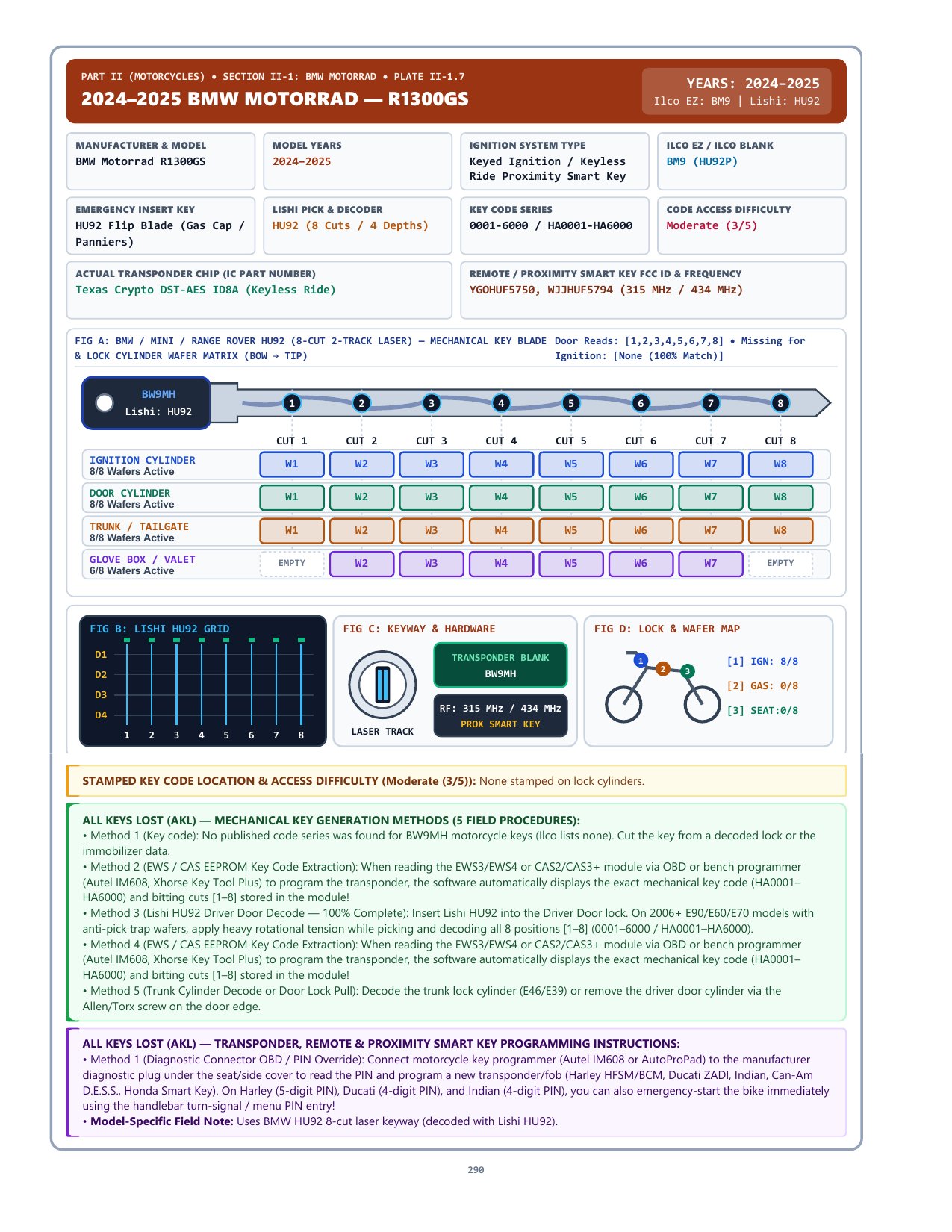
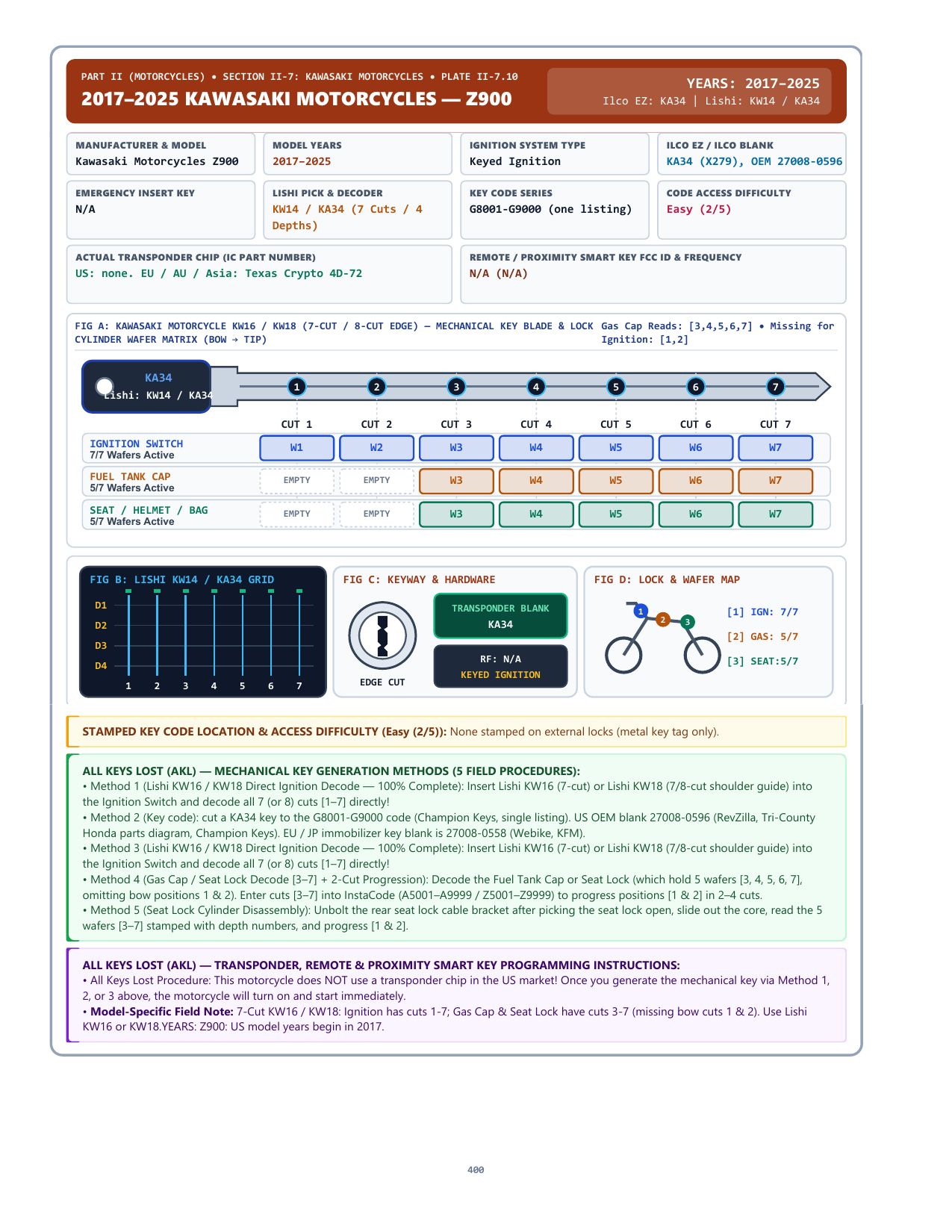
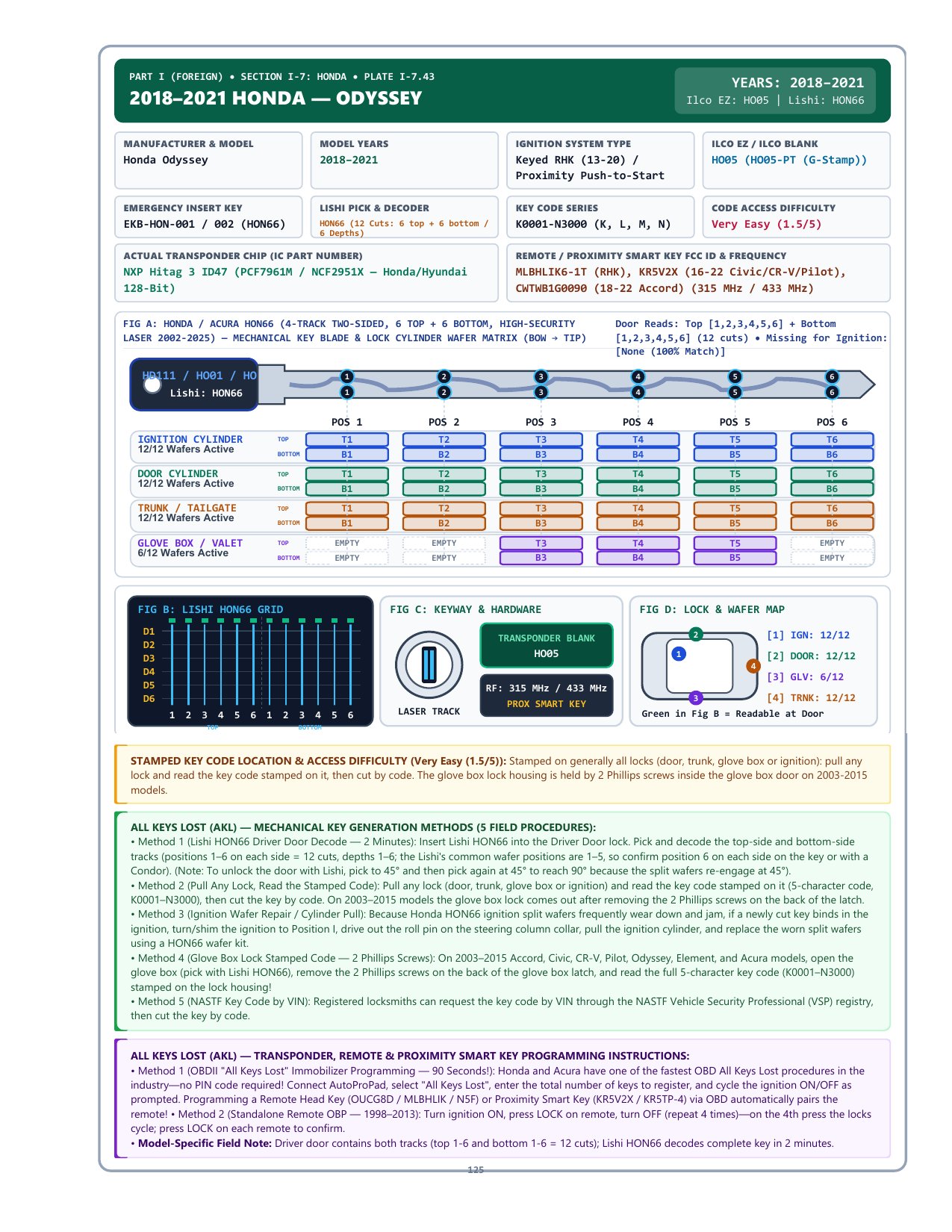
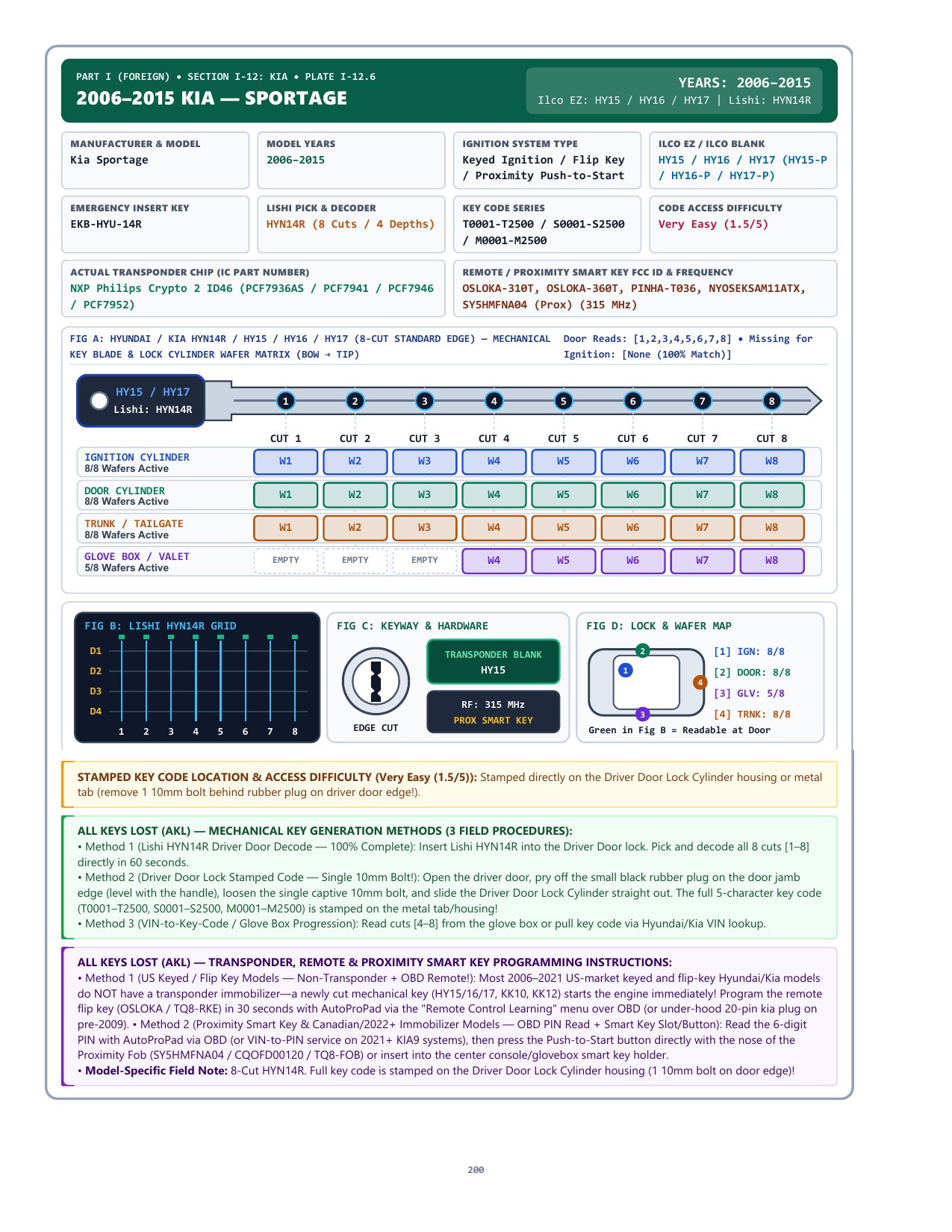
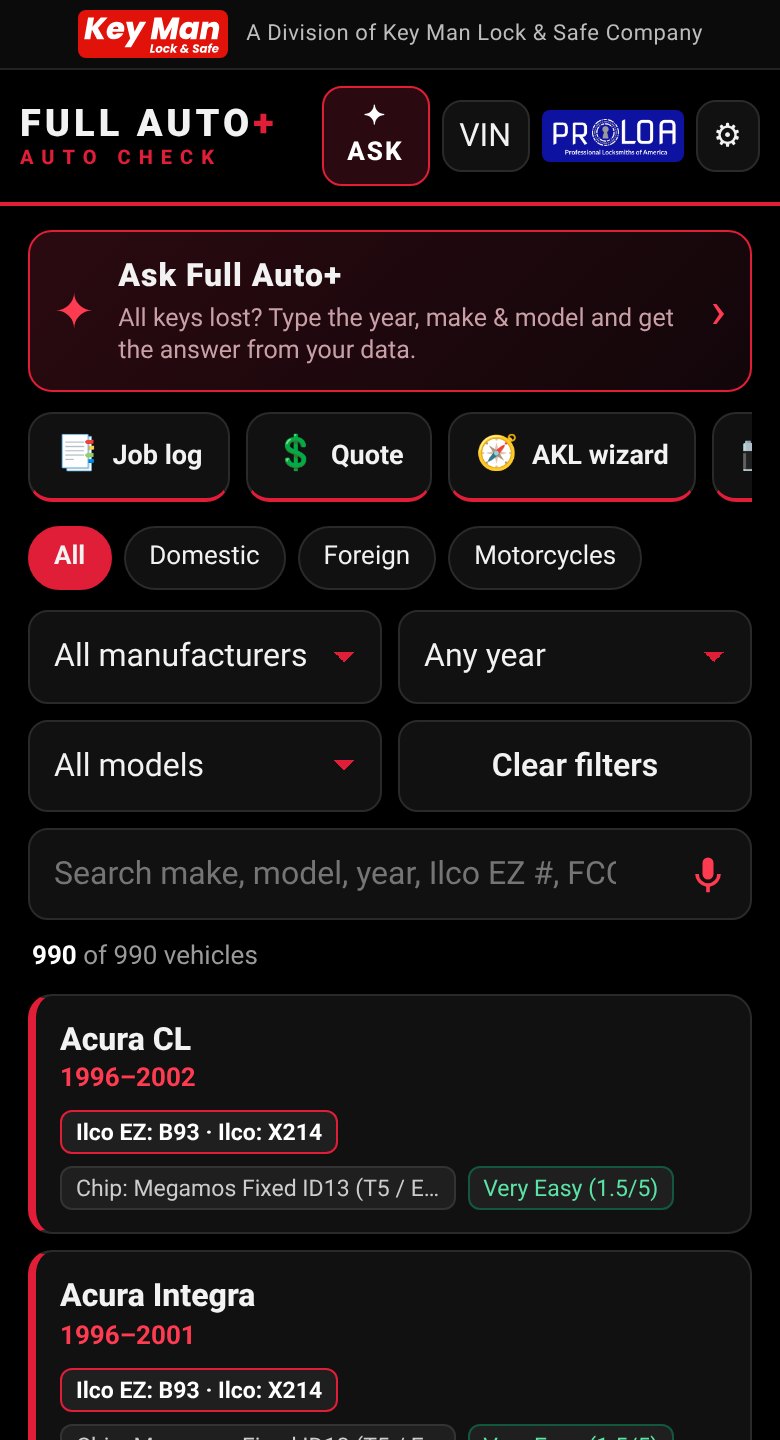
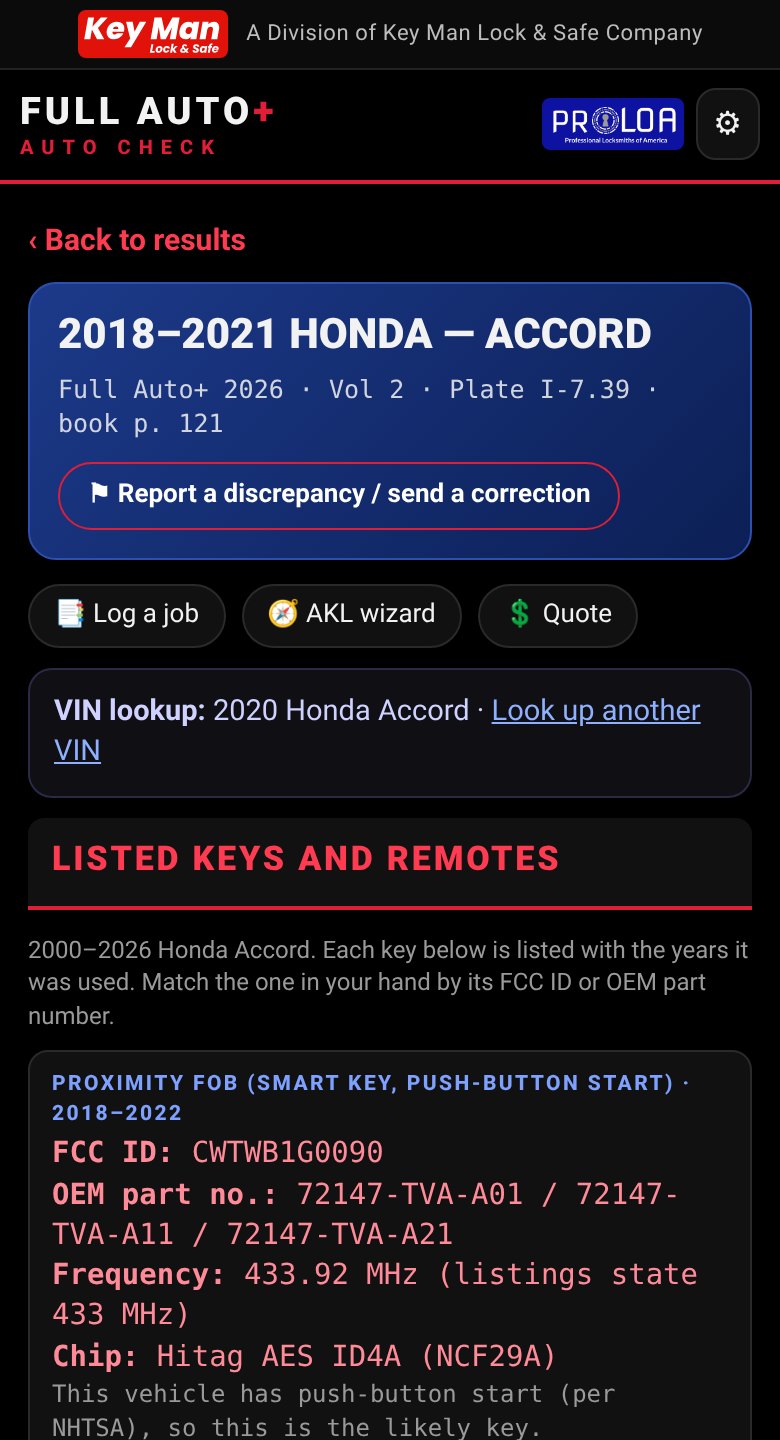
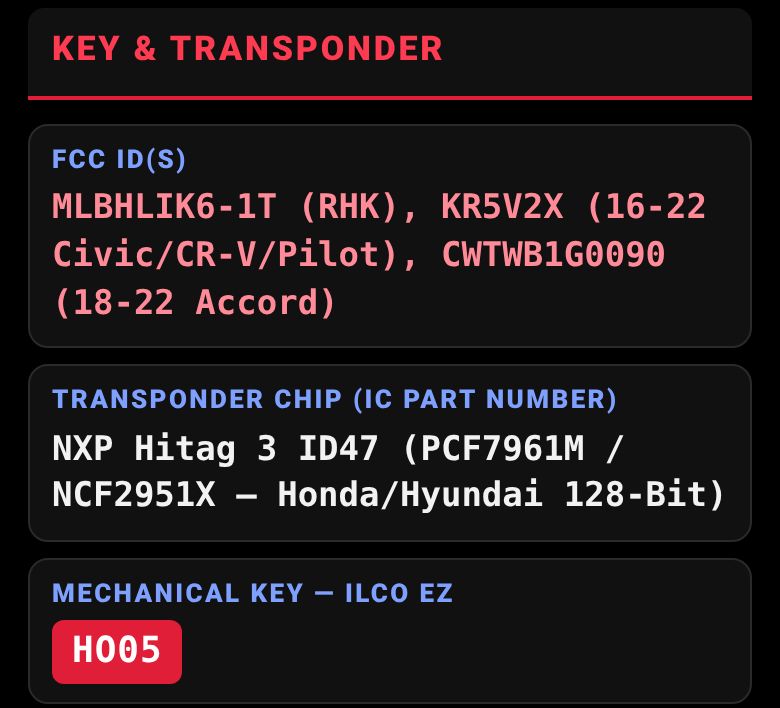
Search 990 vehicles by year, make, model, Ilco number or FCC ID, with tools one tap awayVIN to plate decode a VIN and land on the matching vehicle with its keys and remotesMore than one match the app lists the plates that fit so you pick the right oneThe key facts up top FCC ID, transponder chip and mechanical key blade with its Ilco numberHPC 1200 card lookup 116 cards with manufacturer, key blank, Ilco X and Ilco EZAsk Full Auto+ all-keys-lost answers from your data, with the plate citedAll-keys-lost wizard difficulty, methods, tools, programmer and key parts in orderJob log log the job with the VIN, vehicle, key made, price and photosQuote builder key parts from the plate, priced by you, ready to textPROLOA credits and tests 22 tests, 1 Automotive credit each50-question tests pass with 40 of 50, one free retake
Screens show sample data. The app is licensed to its code holder; the vehicle diagrams are not shown here.
What is in every plate
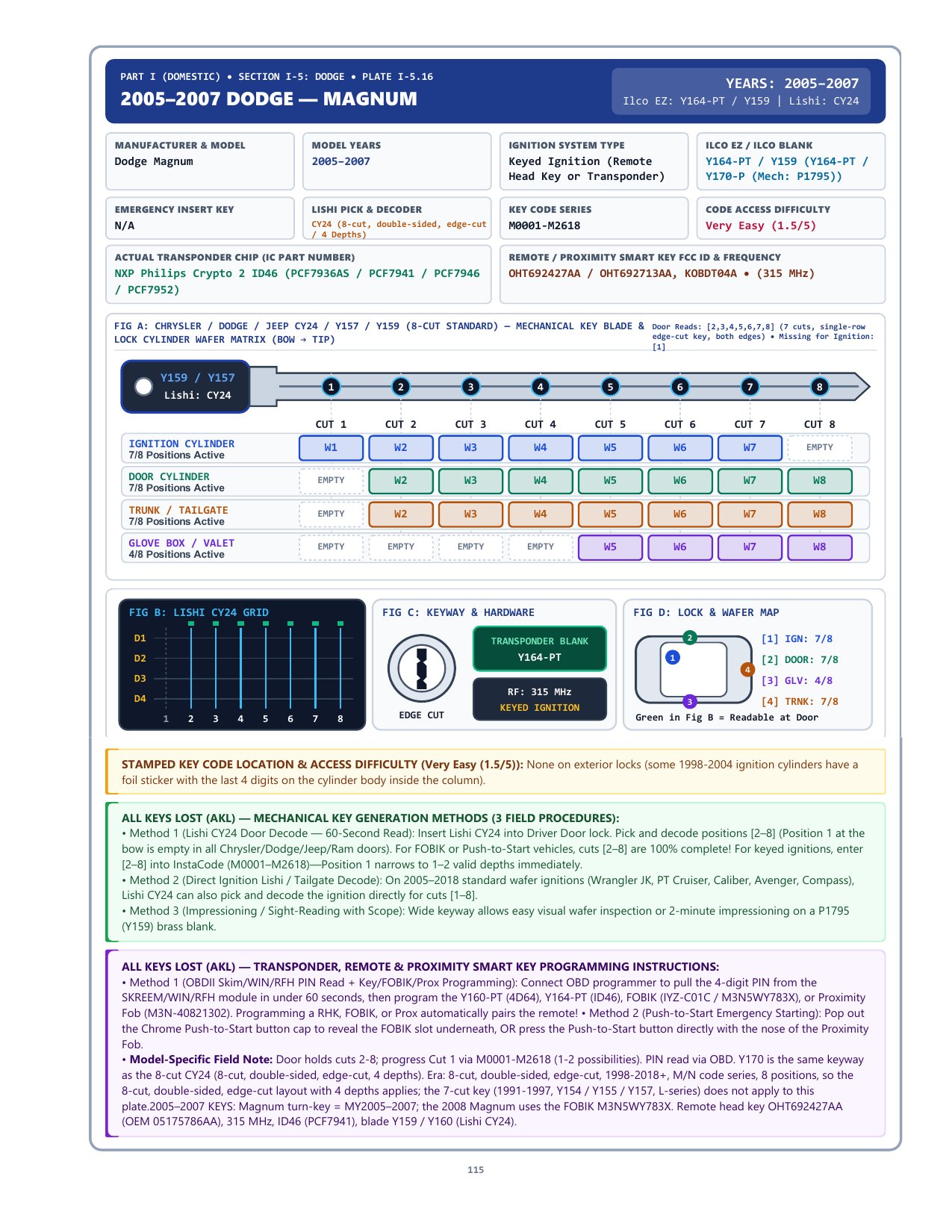
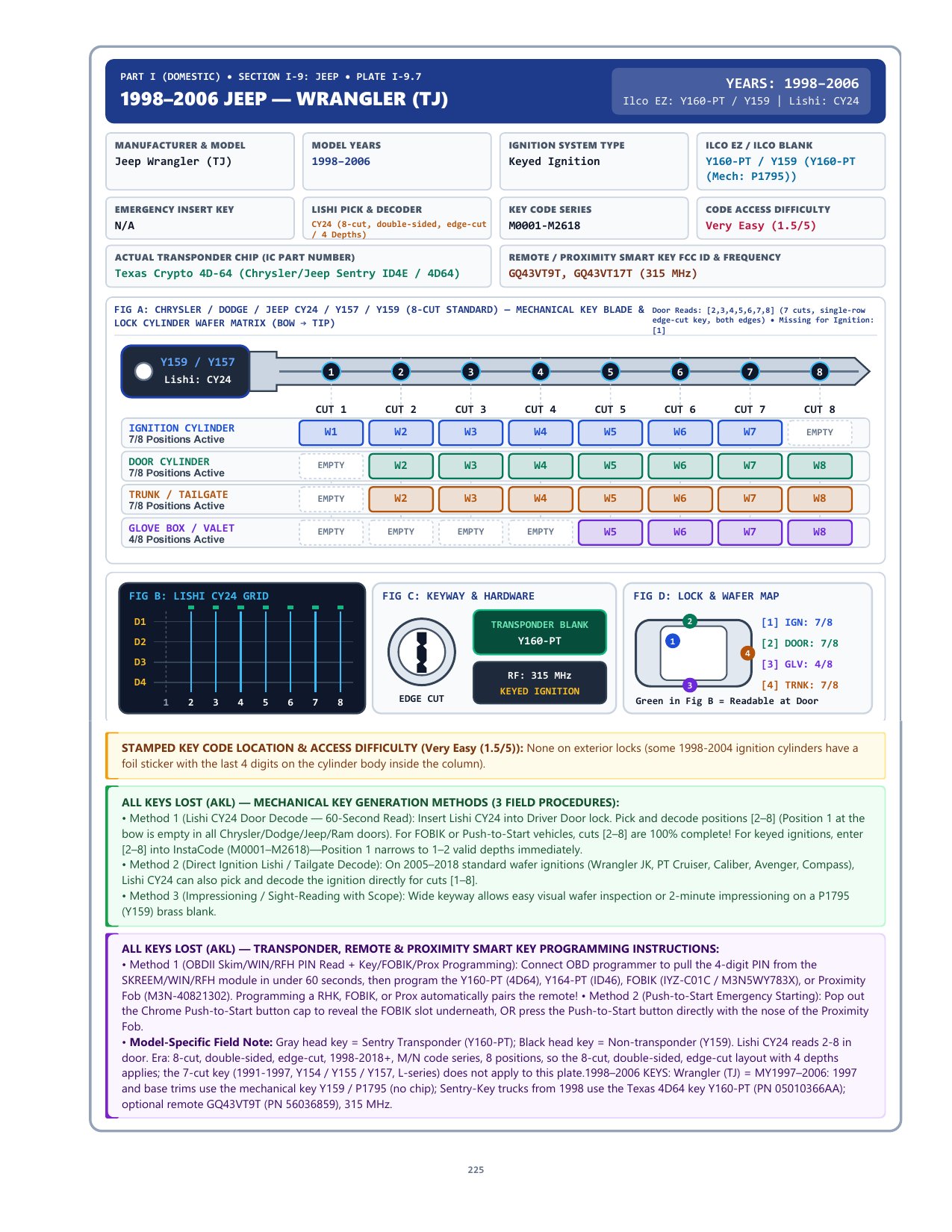
990 year, make and model plates covering domestic vehicles, motorcycles and foreign vehicles.
Key facts first
FCC ID, transponder chip and mechanical key blade sit at the top of the plate, with Ilco and Ilco EZ numbers labeled the way locksmiths use them.
All-keys-lost options
Numbered all-keys-lost options and flowcharts for the vehicle in front of you, plus the start-to-finish steps.
Programming info
The recommended programmer for each vehicle, with a primary tool and alternates named on the plate, plus the programming method and key code details.
Proximity slot locations
Where the programming slot or pocket is for proximity fobs, shown right on the plate.
Key codes and wafer charts
Key code series, where the code is stamped, how hard it is to get, and full-color lock wafer charts and lock maps.
HPC 1200 cards on the plates
Open the HPC card for a vehicle at true size, ready to print and cut.
Toyota and Lexus rolling PIN
A Get rolling PIN link right on Toyota and Lexus plates.
Camera VIN reader
Tap the camera on the VIN page, photograph the VIN, and the app fills in the search for you.
Choose a plan
One activation code works on 1 device. Payments are processed securely by Square. Plans are yearly or lifetime only.
LockCheck
Buy LockCheck on its own. Every LockCheck plan includes MasterKeasy, the master key system designer, including Best interchangeable cores. No AutoCheck subscription is required. A LockCheck code opens LockCheck in the app. Yearly LockCheck is paid once and does not renew automatically.
Standalone
A new activation code that opens LockCheck. It does not include AutoCheck plate data.
YearlySTANDALONE
$249.99 / year
One year of access, paid once. It does not renew automatically. Come back to the app buy page to extend it.
AutoCheck yearly subscribers: renewal extends your access automatically. If a subscription is cancelled, the app keeps working until the end of the paid period and then asks you to renew. LockCheck yearly is paid once and does not renew automatically.
How it works
Buy a plan. Choose LockCheck standalone, an AutoCheck plan, or add LockCheck to an AutoCheck code you already have. LockCheck checkout is on the app buy page. AutoCheck yearly and lifetime can also be purchased with the Square links above.
Get your activation code. After you pay you are taken to a thank-you page that shows your activation code. It is shown once, so save it.
Install it. iPhone: Safari → Share → Add to Home Screen. Android: menu → Install app.
Activate. Open the app from your home-screen icon (not the browser tab) and enter your code. It activates that one device. A LockCheck code opens LockCheck. An AutoCheck code opens AutoCheck. A code with both opens both products in the same app.